
2026 Top Wireless Sensor Types for Global Buyers?

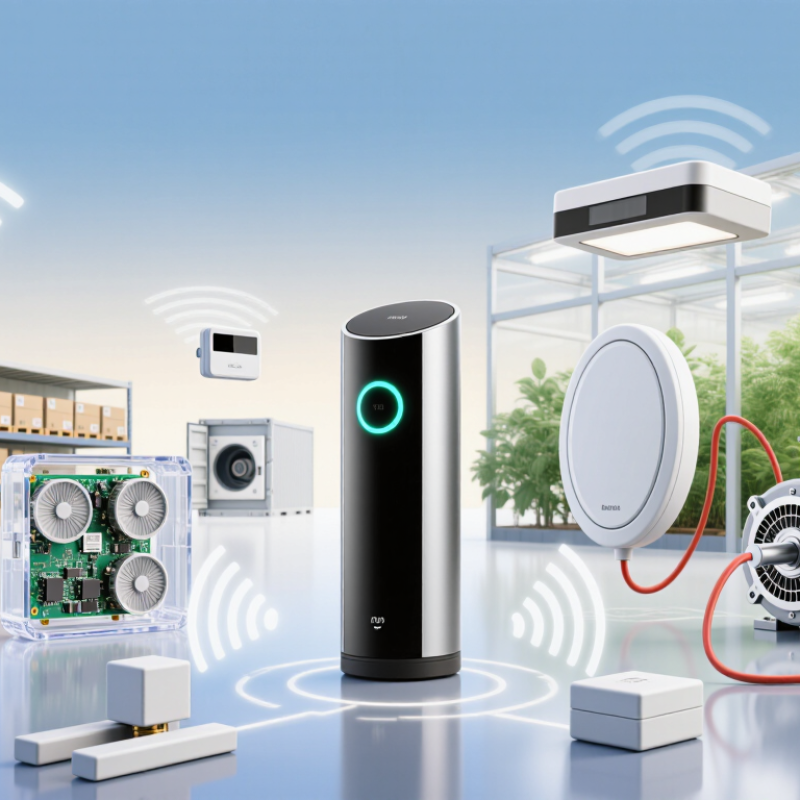
Global buyers comparing wireless sensing products in 2026 face a crowded market, but the right choice starts with the job at hand. A Wireless Sensor may track temperature in a refrigerated shipment, humidity in a greenhouse, vibration on a motor, or motion in a warehouse. Other types measure pressure, light, proximity, or air quality. Different tasks demand different ranges, response times, and levels of accuracy. Small distinctions matter.

The sensor itself is only part of the system. Buyers should check battery life, mounting options, operating temperature, signal range, data format, and compatibility with existing gateways or software. A device that performs well in a clean office may struggle behind concrete walls or near machinery. Ask for calibration details, test records, and clear information about support and replacement parts. These are practical checks, not paperwork for its own sake.

Global purchasing adds another layer. Radio bands, product documentation, privacy expectations, and conformity requirements can differ between markets, so confirm requirements for each destination before ordering. No single sensor type suits every site, and product specifications do not always reflect real conditions. That is worth remembering. This guide introduces the leading wireless sensor types, explains where they are commonly used, and outlines the questions buyers can ask suppliers. The goal is not to name one universal winner, but to help match measurable needs with dependable equipment.
2026 Top Wireless Sensor Types for Global Buyers?

What Wireless Sensors Are and How They Collect Data

Wireless sensors measure physical conditions and send readings without a direct data cable. Common types monitor temperature, humidity, pressure, vibration, or light. Inside each device, a sensing element reacts to a change in its surroundings. Electronics convert that response into a digital reading. A radio then transmits the reading to a receiver, gateway, or nearby device. Small details matter. Sensor placement, battery condition, and nearby obstacles can all affect the data received.

Data collection usually happens at set intervals or when a reading crosses a configured threshold. For example, a temperature sensor in a storage room might report every few minutes. The receiving system can add a timestamp and organize readings for review. Some systems also flag unusual changes, such as a sudden rise in vibration near a motor. Wireless links vary in range, power use, and signal reliability, so the right choice depends on the site and task. A clean chart can look convincing, yet missed transmissions or poorly placed sensors may distort the picture. Field testing is worth the effort.

Tips: Place sensors where the condition actually matters, not merely where installation is easiest. Compare readings with a trusted reference during setup. Check signal strength and battery status over time; early results can be reassuring, but not definitive.

How Wireless Sensor Networks Transmit and Process Measurements

A wireless sensor network turns physical changes into data that people or control systems can use. A temperature node, for example, samples air near a storage rack, converts the reading into a digital value, and adds a timestamp. It then sends a small radio packet to a nearby gateway. The gateway may forward measurements to a local computer or remote platform for storage, filtering, and analysis. Some nodes process data themselves, which can reduce radio traffic and conserve battery power.

Transmission is not always smooth. Metal shelves, walls, distance, and competing signals can delay or lose packets. A reliable setup checks timestamps, flags missing readings, and compares measurements against sensible ranges. In practice, a sensor beside a warm motor may report a real local hot spot, not a system-wide temperature rise. Context matters. Even good equipment can be placed poorly; that is an easy mistake to miss. Buyers should review communication range, sampling rate, battery life, and how the network handles interruptions before comparing sensor types.

Tips: Test coverage at the actual installation site, with doors and equipment in their normal positions. Keep a simple record of sensor locations and calibration dates. Check whether stored data can fill gaps after a brief connection loss.

2026 Top Wireless Sensor Types for Global Buyers? - How Wireless Sensor Networks Transmit and Process Measurements

A practical comparison of widely used wireless sensor types. Suitability depends on the measurement range, installation environment, power budget, required update rate, and local radio regulations.

Sensor type Typical measurements Sensing method Common local processing Common wireless options Typical applications Key selection factors
Temperature Air, liquid, or surface temperature Thermistors, resistance temperature detectors, or semiconductor sensing elements Linearization, calibration correction, averaging, and threshold alerts Bluetooth Low Energy, Wi-Fi, IEEE 802.15.4-based networks, or LPWAN Cold-chain monitoring, buildings, equipment, and industrial processes Operating range, accuracy, response time, probe design, and calibration interval
Humidity Relative humidity and, in some devices, temperature Usually a capacitive polymer element; some designs use resistive sensing Temperature compensation, filtering, and derived dew-point calculation when supported Bluetooth Low Energy, Wi-Fi, IEEE 802.15.4-based networks, or LPWAN Warehouses, greenhouses, buildings, and storage environments Humidity range, condensation tolerance, response time, and long-term drift
Pressure Gas or liquid pressure; differential pressure in some models A diaphragm with a piezoresistive or capacitive sensing element is common Zero-offset correction, unit conversion, filtering, and limit checks Wi-Fi, cellular, IEEE 802.15.4-based networks, or LPWAN Pipelines, tanks, pumps, HVAC systems, and fluid systems Pressure range, media compatibility, overload rating, and fitting type
Vibration and motion Acceleration, vibration level, frequency content, or orientation Microelectromechanical accelerometers; some units also include gyroscopes Sampling, band-pass filtering, peak or RMS calculation, and frequency analysis Bluetooth Low Energy, Wi-Fi, IEEE 802.15.4-based networks, or LPWAN for summary data Machine-condition monitoring, asset tracking, and structural monitoring Sampling rate, frequency range, mounting method, and battery life
Gas and air quality Gas concentration or air-quality indicators; the measured gases vary by sensor Electrochemical, metal-oxide, infrared, or photoionization sensing, depending on the target gas Baseline correction, compensation, event thresholds, and sensor-health checks Wi-Fi, cellular, IEEE 802.15.4-based networks, or LPWAN Workplace safety, indoor air monitoring, and leak detection Target gas, detection range, cross-sensitivity, warm-up time, and calibration needs
Light and illuminance Illuminance or relative light intensity Photodiode or light-sensitive semiconductor; spectral response varies by design Signal conversion, averaging, and day/night or threshold detection Bluetooth Low Energy, Wi-Fi, or IEEE 802.15.4-based networks Smart lighting, building automation, and daylight monitoring Measurement units, spectral response, placement, and exposure range
Soil moisture Soil water content or a calibrated moisture estimate Capacitance or dielectric-property measurement; some probes use other electrical methods Calibration mapping, smoothing, and irrigation threshold logic LPWAN, cellular, or IEEE 802.15.4-based networks Agriculture, landscaping, and irrigation management Soil type, probe depth, salinity effects, weather resistance, and calibration

How measurements move through a wireless sensor network: A sensing element converts a physical condition into an electrical signal. The device digitizes and may filter or summarize that signal, then sends measurement data by radio to a gateway or receiver. The gateway may forward data to a local system or cloud service for storage, visualization, analysis, and alerts. Radio range, data rate, battery life, and regional frequency rules depend on the selected technology and deployment.

Which Wireless Sensor Types Are Most Used in 2026

In 2026, temperature and humidity sensors remain among the most widely used wireless sensor types. They monitor cold rooms, warehouses, greenhouses, and building systems. Small battery-powered units can report readings every few minutes, helping staff spot a failing refrigerator before stock warms. Pressure sensors are also common in water networks, HVAC systems, and industrial equipment. They reveal leaks or clogged filters through gradual changes, not just sudden alarms.

Motion, occupancy, and contact sensors are widely deployed in buildings and security monitoring. Their appeal is practical: a door sensor can report an opening, while a ceiling-mounted unit can track room use without measuring every person. IoT Analytics’ State of IoT—Summer 2024 estimated 18.8 billion connected IoT devices worldwide by the end of 2024, with growth continuing toward 40 billion by 2030. That figure covers connected devices, not sensor shipments, so it should not be treated as a ranking of sensor types. A useful caveat.

For global buyers, the best choice depends on range, battery life, and the environment. Bluetooth or Wi-Fi can suit buildings with nearby gateways; low-power wide-area networks often fit remote meters and agricultural fields. These are connectivity options, not sensor categories. A humidity sensor in a damp greenhouse may need a more robust enclosure than one in an office. Check calibration needs, replacement access, and real-world radio coverage before comparing unit prices.

2026 Top Wireless Sensor Types for Global Buyers

Common sensor categories across industrial, building, environmental, and asset-monitoring applications.

The index is an editorial, qualitative comparison—not measured market share or a verified global 2026 ranking. Wireless sensor adoption varies by industry, region, and application; no standardized global census is available.

How Leading Sensor Types Differ in Range, Power, and Connectivity

Wireless sensor selection is about balancing range, power use, and connectivity—not finding one perfect radio. Bluetooth Low Energy works well for nearby sensors, such as room monitors sending readings to a phone or gateway. Wi-Fi can move larger data quickly, but frequent transmissions may drain small batteries. Mesh networks extend coverage as devices relay messages, though extra hops can add delay and setup complexity. Range is never fixed.

For distant equipment, low-power wide-area networks can send small updates across large sites while keeping energy use modest. Actual coverage depends on buildings, terrain, antenna placement, and local network availability. Cellular sensors can reach remote locations without a private gateway, but signal quality and recurring data costs need checking. A common planning mistake is choosing by advertised range alone; a metal cabinet or concrete wall can change the result.

Tips: Test a few sensors at the real installation points. Measure battery use with the intended reporting interval, and record weak-signal spots. Test it onsite. If readings arrive late, the longest-range option may not be the most useful one.

How Global Buyers Can Match Sensor Types to Their Applications

Matching a wireless sensor to an application starts with the measurement, not the product category. Temperature and humidity sensors suit cold rooms, greenhouses, and storage areas. Pressure sensors can monitor pipes or tanks, while vibration sensors help reveal changes in rotating equipment. For occupancy or door status, simple motion or contact sensors may be enough. Keep it practical.

Next, examine the site. A sensor that works well in an open office may struggle inside a metal enclosure or across a concrete wall. Check transmission distance, likely obstacles, battery access, and the existing network before choosing a communication method. Battery-powered devices can reduce wiring, but frequent measurements may shorten battery life. That trade-off is easy to miss.

Match the sampling rate to the decision you need to make. A warehouse temperature check may only need occasional readings; detecting brief machine vibration changes may require much faster sampling. Consider operating temperature, moisture, dust, and mounting position, too. A poorly placed sensor can produce misleading data, even when its specifications look suitable. Pilot a few units in the actual environment, then compare readings with a trusted reference instrument. Field results may challenge the original plan, and that is useful. One detail often gets overlooked: who will replace batteries and respond when readings stop arriving?